
Folders you name
Desktop, Documents and Downloads are allowed at the start. You can change them. A link that tries to leave an allowed folder is rejected.
Version 0.1.0 · Free for Windows
LogicGrad OS runs on your PC. It reads and organizes files, pulls text from PDF, Word, Excel and PowerPoint, runs OCR on images, and inspects the system. Screen reading, mouse and keyboard, and developer tools stay off until you turn them on.
Installer SHA-256 · LogicGrad-OS-Setup-0.1.0.exe
92b29b42d9eabdab17899b7c09e0b23f06b03f478dbea847b678707b9b02146b
LogicGrad OS is independent software. It is not affiliated with, endorsed by or supported by OpenAI.
Illustration: a chat request sorts files, extracts PDF text, and runs OCR, each finishing with a checkmark.
Why LogicGrad OS
Nothing runs until you allow it. You choose the folders and the tool categories, and you can stop everything with one shortcut.
Desktop, Documents and Downloads are allowed at the start. You can change them. A link that tries to leave an allowed folder is rejected.
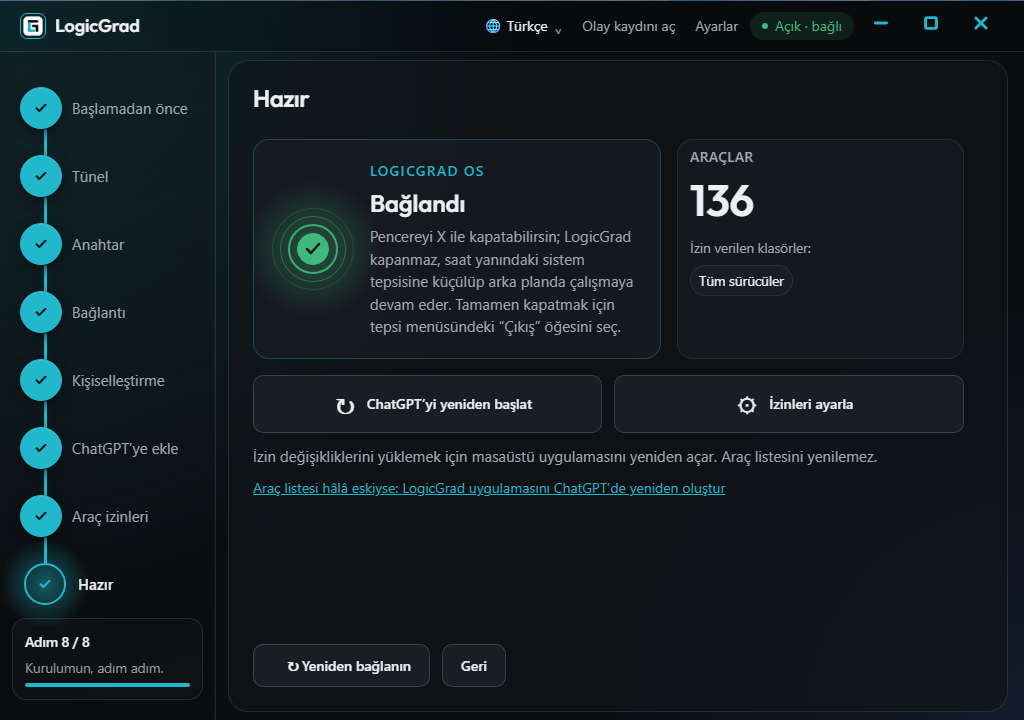
Batch file work, office-document text, local OCR, diagnostics, and optional computer control. Twelve categories, 136 tools.
Settings and records stay on your PC. There is no usage telemetry. When a tool runs through ChatGPT, its content can be sent to ChatGPT/OpenAI under your own account.
Ctrl+Alt+End turns LogicGrad off, stops child processes, rejects tool calls and removes temporary access.
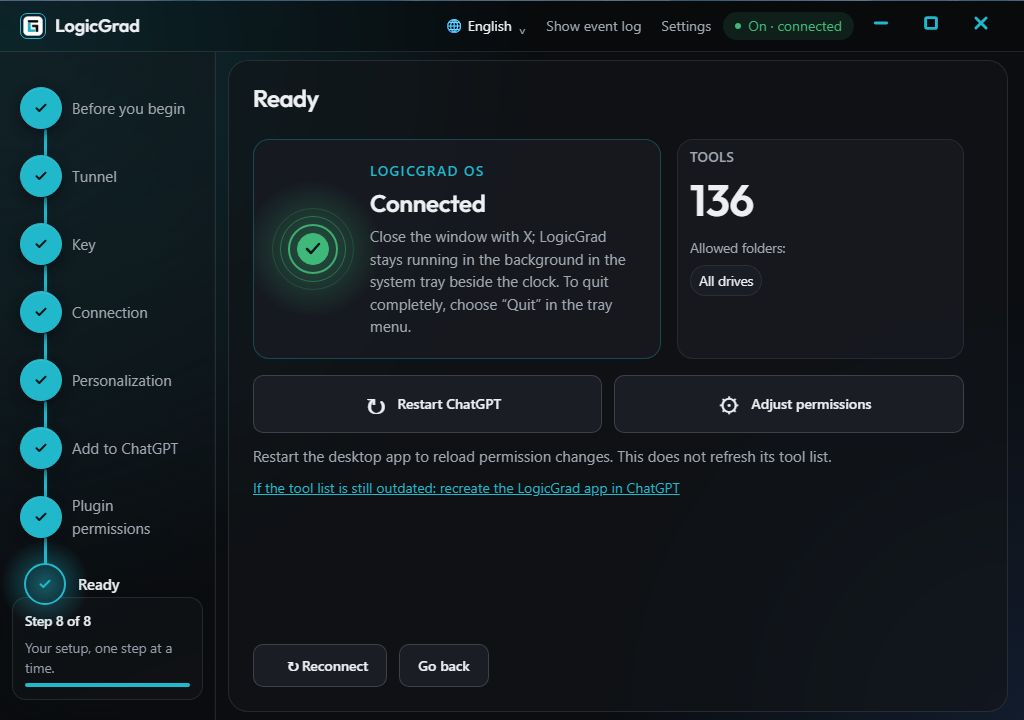
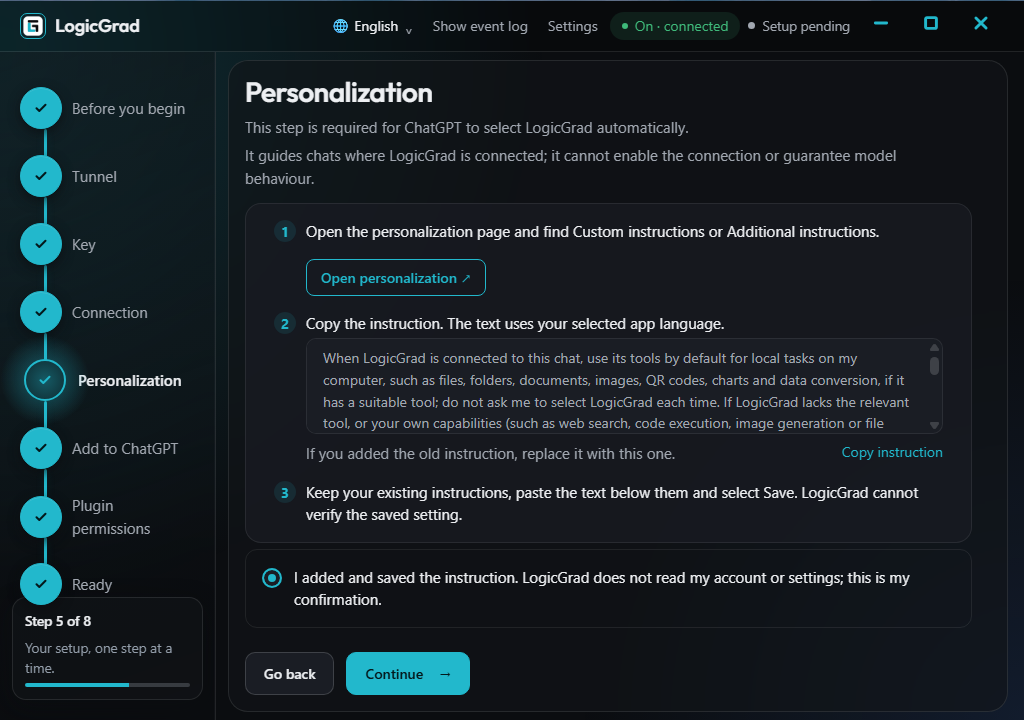
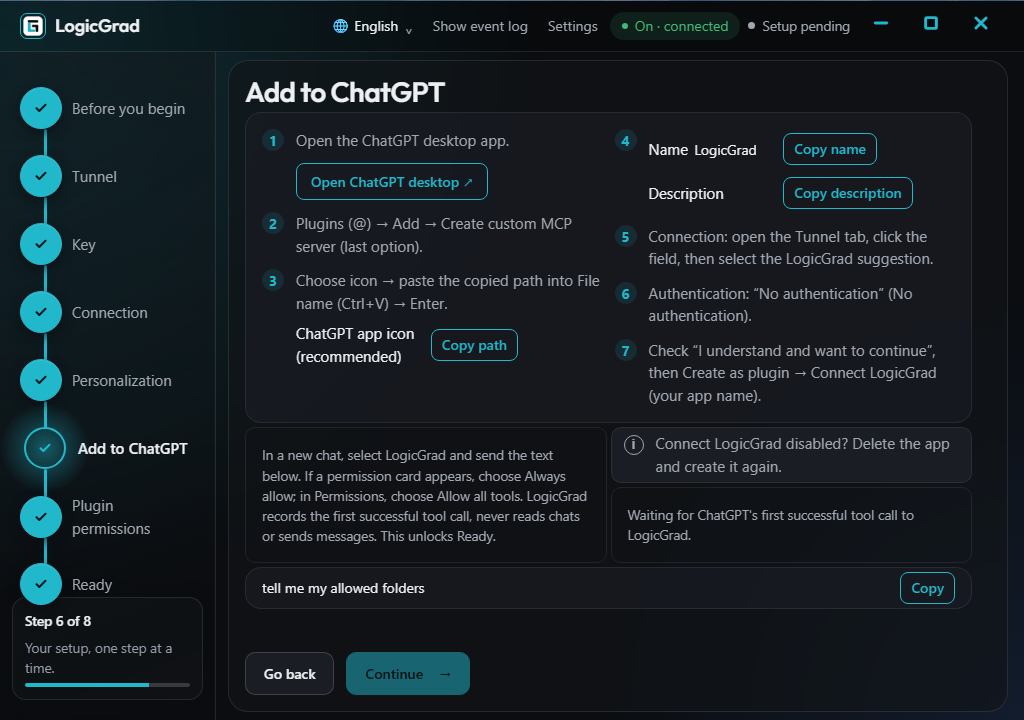
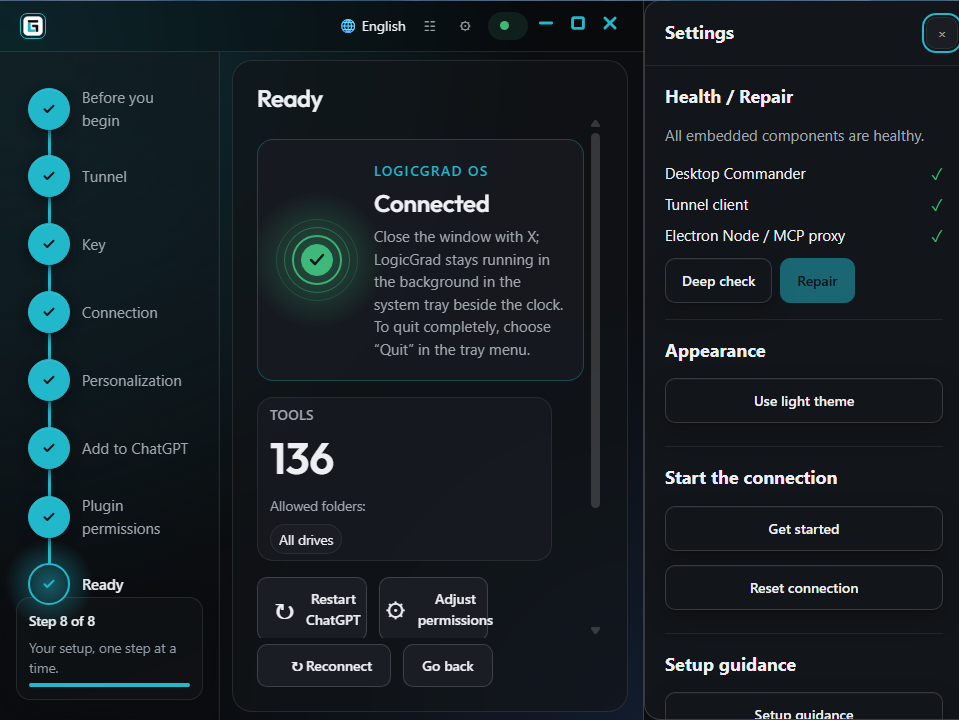
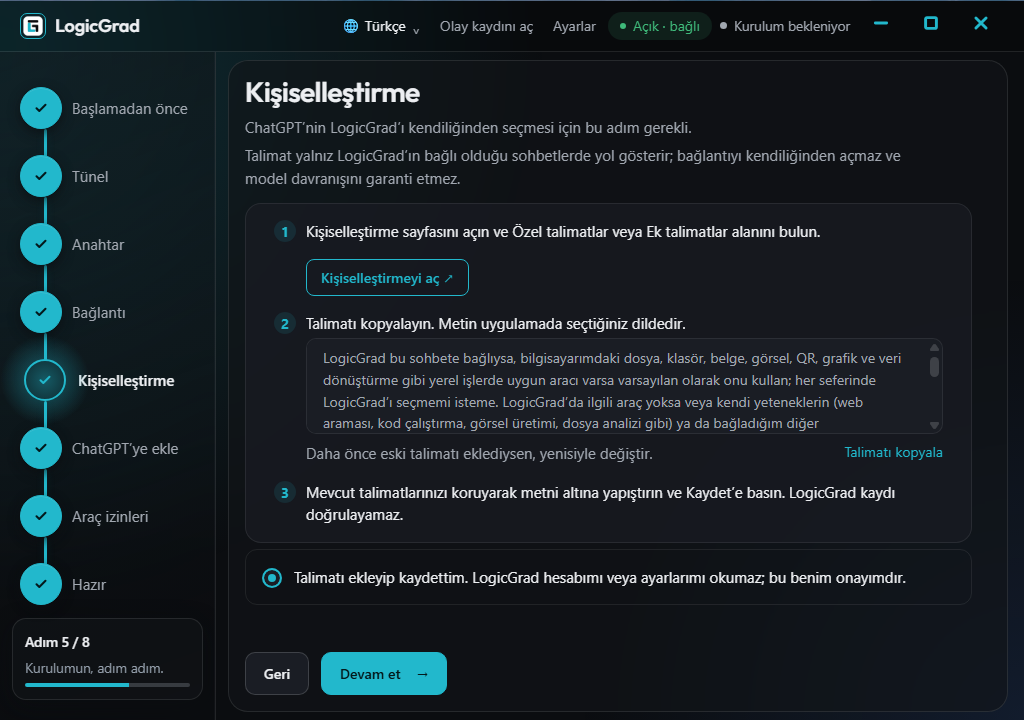
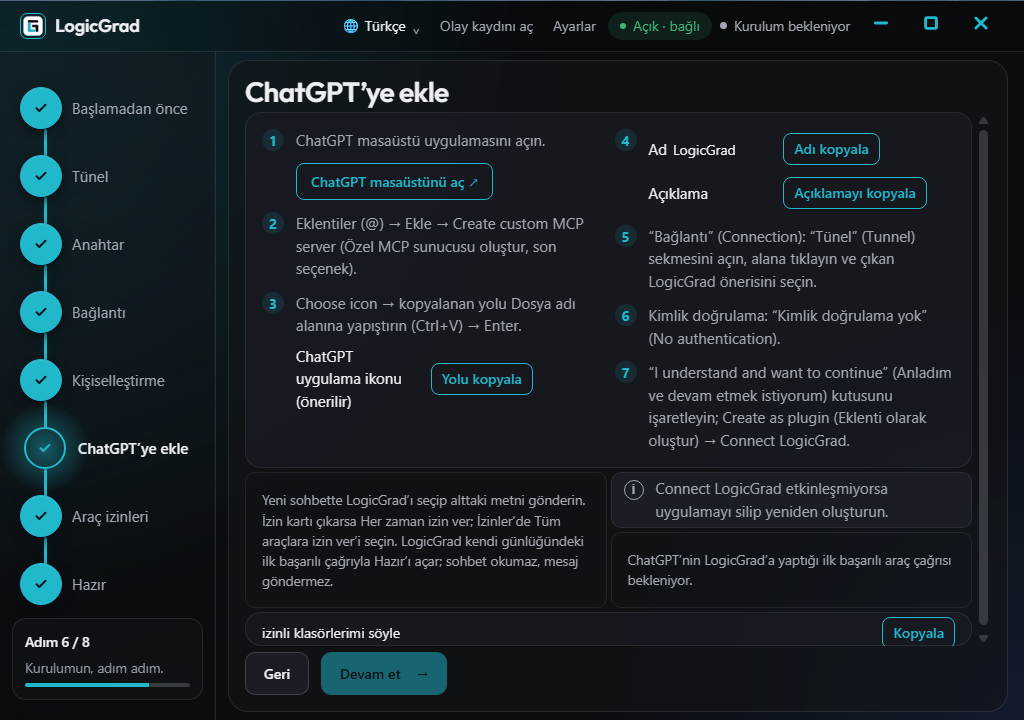
An 8-step wizard walks through the tunnel, a restricted key, and the ChatGPT connection. You sign in, copy, and approve. The chat and form values are not read.
Updates use an Ed25519-signed feed, HTTPS, and a SHA-512 check. They download and install only when you ask. This is not a Windows publisher signature.
Permissions
Read-only mode is a safe place to start. Deletes go to the Recycle Bin. Keep your own backups of important files anyway.
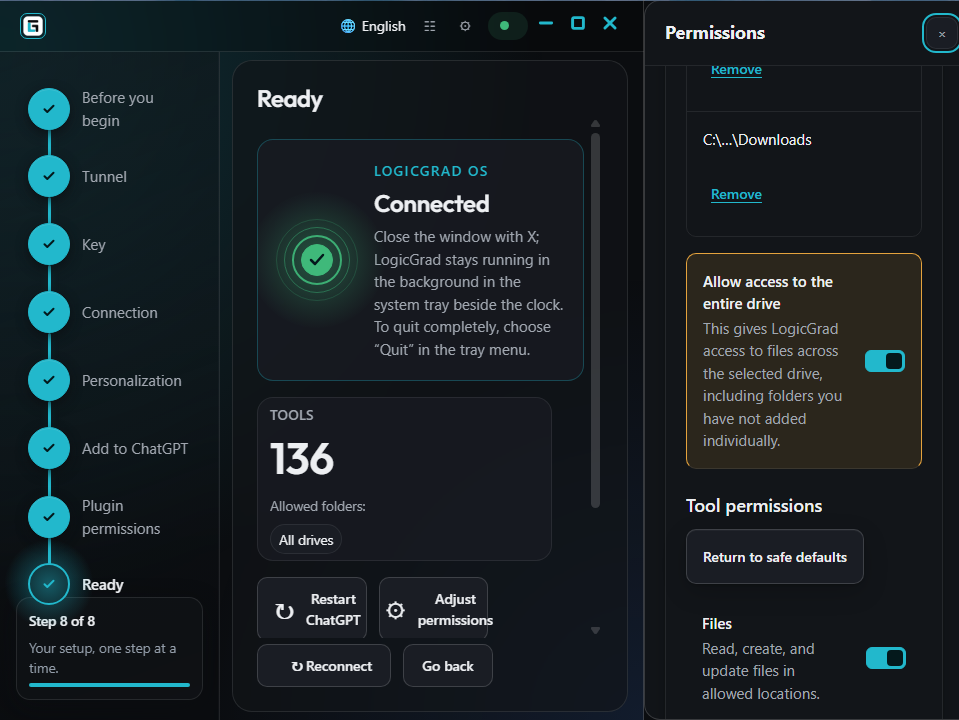
Preview of the category switches. Changing them here does not change the app. Screen, computer control and developer tools ask for confirmation before they turn on in the app.
The app
Captured from LogicGrad OS 0.1.0 running on Windows. The language of the screenshot follows this page.
How it works
You do the sign-ins, passwords, MFA, copy actions and permission clicks. LogicGrad can highlight where to click. It does not read the chat or the form values.
A per-user Windows installer, 130,069,347 bytes (124.0 MB). Verify the SHA-256 checksum before you run it.
The wizard uses your own OpenAI account to create a tunnel and a restricted key, then adds LogicGrad to the ChatGPT desktop app.
Choose folders and tool categories. The first time a tool is used, ChatGPT asks on its own permission card. Choose Allow once.
Version 0.1.0 · Free for Windows
Free. No purchase, license fee or subscription.
Support
LogicGrad OS is free and built independently. If it saves you time, buy me a coffee.
Buy me a coffee Download for Windows
124.0 MB